
Amazon BSR is the single most important number for understanding how well a product sells on Amazon. Whether you’re researching competitors, validating a niche, or tracking your own designs, Best Sellers Rank tells you what’s actually moving — and what’s sitting idle.
But BSR is widely misunderstood. Sellers treat it as a permanent score, confuse it with search ranking, or chase low BSR numbers without understanding what drives them. This guide breaks down exactly what Amazon BSR means, how it’s calculated, where to find it, and how to use it to make better decisions for your Merch by Amazon business.
What Is Amazon BSR (Best Sellers Rank)?
Amazon BSR — short for Best Sellers Rank, also called Amazon sales rank — is a number Amazon assigns to every product that has made at least one sale. It reflects how well a product is selling relative to other products in the same category.
A BSR of 1 means that product is the top seller in its category right now. A BSR of 500,000 means it’s far down the list. The lower the number, the better the sales velocity.
Every product on Amazon gets a BSR within each category it’s listed in. A single t-shirt might have a BSR in “Clothing, Shoes & Jewelry” (the root category) and a separate BSR in “Novelty & More” or “Men’s T-Shirts” (the subcategory). The subcategory BSR is usually the more useful number for Merch sellers because it compares your product against a more relevant set of competitors.
For Merch by Amazon sellers specifically, BSR is the primary way to gauge whether a design niche is worth entering. If the top designs in a niche all have BSRs above 500,000, demand is likely too low to justify the effort. If several designs sit below 100,000, there’s proven buyer interest.
How Amazon BSR Is Calculated
Amazon doesn’t publish its exact BSR formula, but years of seller observation and testing have revealed the core mechanics:
Recent sales velocity is the dominant factor. A single sale can dramatically improve a product’s BSR, especially if it hasn’t sold in a while. BSR responds to sales in near real-time — typically updating hourly.
Recency matters more than lifetime volume. A product that sold 5 units today will have a better BSR than one that sold 500 units last year but nothing this week. BSR decays over time without new sales, gradually climbing to higher (worse) numbers.
BSR is relative, not absolute. Your rank depends on how everyone else in the category is selling at the same time. During high-traffic periods like Q4 (holiday season), BSR numbers shift more rapidly because overall sales volume across all products increases.
Key facts about BSR updates:
- BSR updates approximately every hour
- A product needs at least one sale to receive a BSR (brand new listings with zero sales have no BSR)
- BSR is calculated independently for each category a product appears in
- Historical sales have diminishing influence — what you sold in the last 24-48 hours matters most
- Pre-orders and promotional sales count toward BSR
Where to Find BSR on Amazon
Finding BSR on a Product Page
Every product page on Amazon displays the BSR in the “Product Information” or “Product Details” section. Scroll down past the images, description, and reviews. You’ll see a section that includes details like ASIN, dimensions, and — crucially — “Best Sellers Rank.”
The listing typically shows both the root category rank and one or more subcategory ranks. For example:
Best Sellers Rank: #245,831 in Clothing, Shoes & Jewelry | #3,412 in Novelty & More > Women’s T-Shirts
The subcategory rank (#3,412 in this case) is what most Merch sellers focus on. It provides a more meaningful comparison against similar products rather than the millions of items in the root category.
Finding BSR Using Tools
Manually checking BSR on individual product pages is tedious when you’re researching dozens of designs. Research tools automate this process:
- Podly’s merch database lets you browse and filter products by BSR, so you can instantly see which designs in a niche are actually selling
- Podly’s on-site search shows BSR alongside other product data when you search for designs on Amazon
- The Podly Chrome Extension overlays BSR data directly on Amazon search results pages, eliminating the need to click into each listing
These tools save hours of manual research and let you make BSR-informed decisions at scale. If you’re new to Merch research, our getting started with Merch by Amazon guide walks through the full setup process.
What Is a Good BSR on Amazon?
There’s no universal “good” BSR number because it depends entirely on the category. A BSR of 50,000 in Clothing means something very different from 50,000 in Cell Phone Accessories.
BSR Ranges for Merch by Amazon
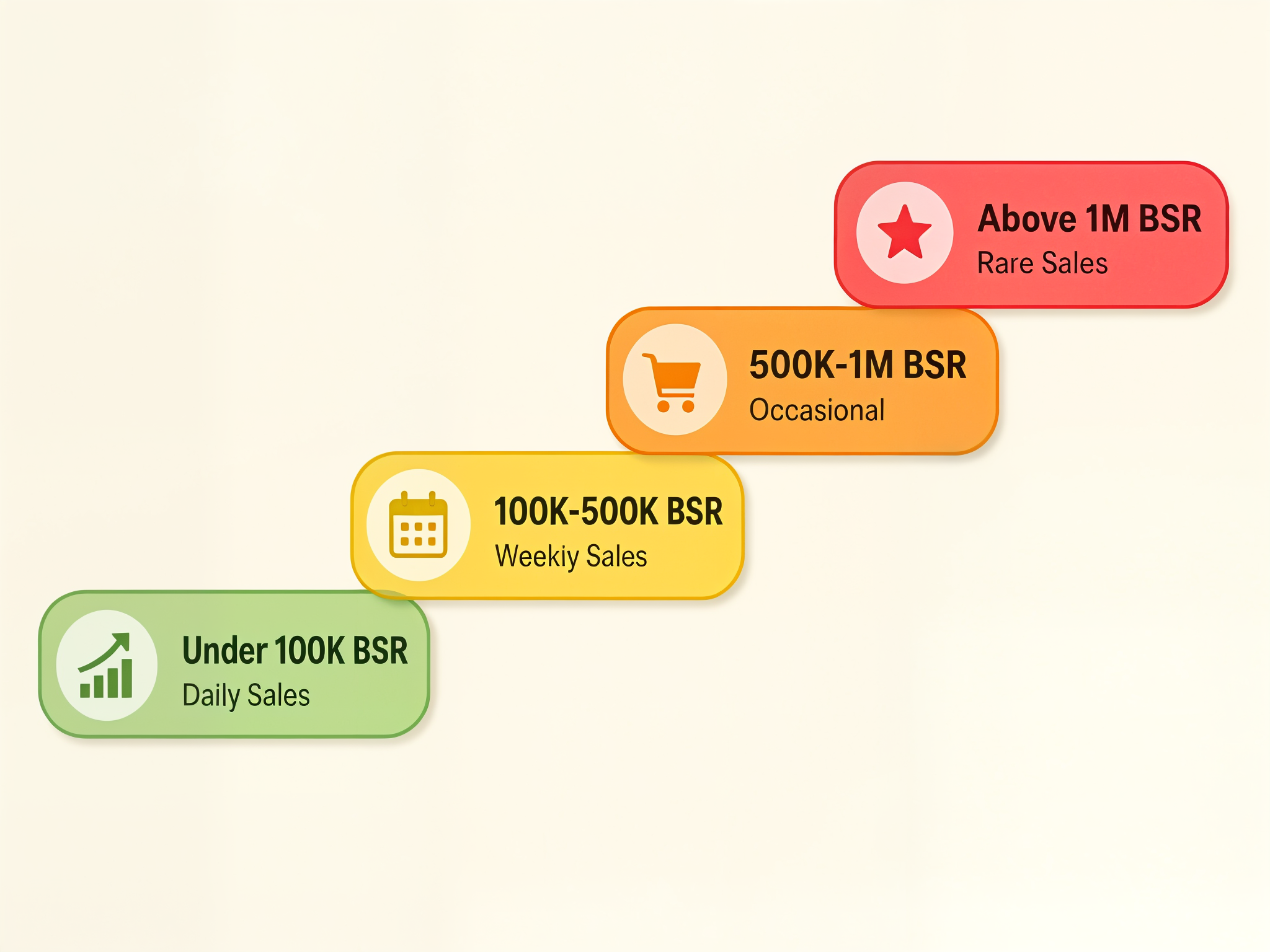
For Merch by Amazon products (primarily in Clothing, Shoes & Jewelry), here are general benchmarks based on what we see across thousands of listings through Podly:
BSR under 100,000 — strong seller. This product is making consistent daily or near-daily sales. Designs in this range are validated winners.
BSR 100,000 - 500,000 — moderate seller. Selling multiple times per week but not daily. This is where most successful Merch designs land. A BSR of 300,000 in Clothing typically translates to a few sales per week.
BSR 500,000 - 1,000,000 — occasional sales. Maybe a sale every week or two. The design has some demand but isn’t a consistent performer.
BSR above 1,000,000 — rare or one-time sales. The product may have sold once months ago and the BSR has been decaying since. Not a reliable indicator of current demand.
Why BSR Varies Between Categories
BSR is relative to the total number of products in a category. Clothing has millions of listings, so a BSR of 200,000 still represents strong sales. In a smaller category like Patio, Lawn & Garden, a BSR of 200,000 might mean the product hasn’t sold in weeks.
This is why comparing BSR numbers across different categories is meaningless. Always compare BSR within the same category and subcategory.
How BSR Affects Your Merch by Amazon Sales
BSR and Visibility
A common misconception is that a better BSR directly increases your product’s visibility in Amazon search. It doesn’t — at least not directly.
Amazon’s search algorithm (A9/A10) considers relevance, keywords, conversion rate, sales history, and other factors when ranking products in search results. BSR is an output of sales, not an input to the search algorithm.
However, BSR does matter indirectly. Products with strong BSR appear on category bestseller lists, which drive additional browse traffic. And the sales velocity that creates a good BSR also signals to Amazon’s algorithm that the product converts well, which can improve search placement over time.
BSR vs Organic Ranking
These are different systems:
BSR measures sales velocity relative to the category. It changes hourly and reflects recent purchases.
Organic ranking determines where your product appears in search results for specific keywords. It’s influenced by keyword relevance, listing quality, conversion rate, and sales history.
You can have a great BSR but poor organic ranking if your keywords don’t match what shoppers search for. Conversely, you can rank well organically for a niche keyword but have a mediocre BSR because the overall search volume for that keyword is low.
For Merch sellers, the practical takeaway: optimize your listings for keywords first (this drives organic ranking and discovery), and let BSR follow as a result of the sales that keyword optimization generates. Our Amazon Merch keywords guide covers keyword research strategies in depth.
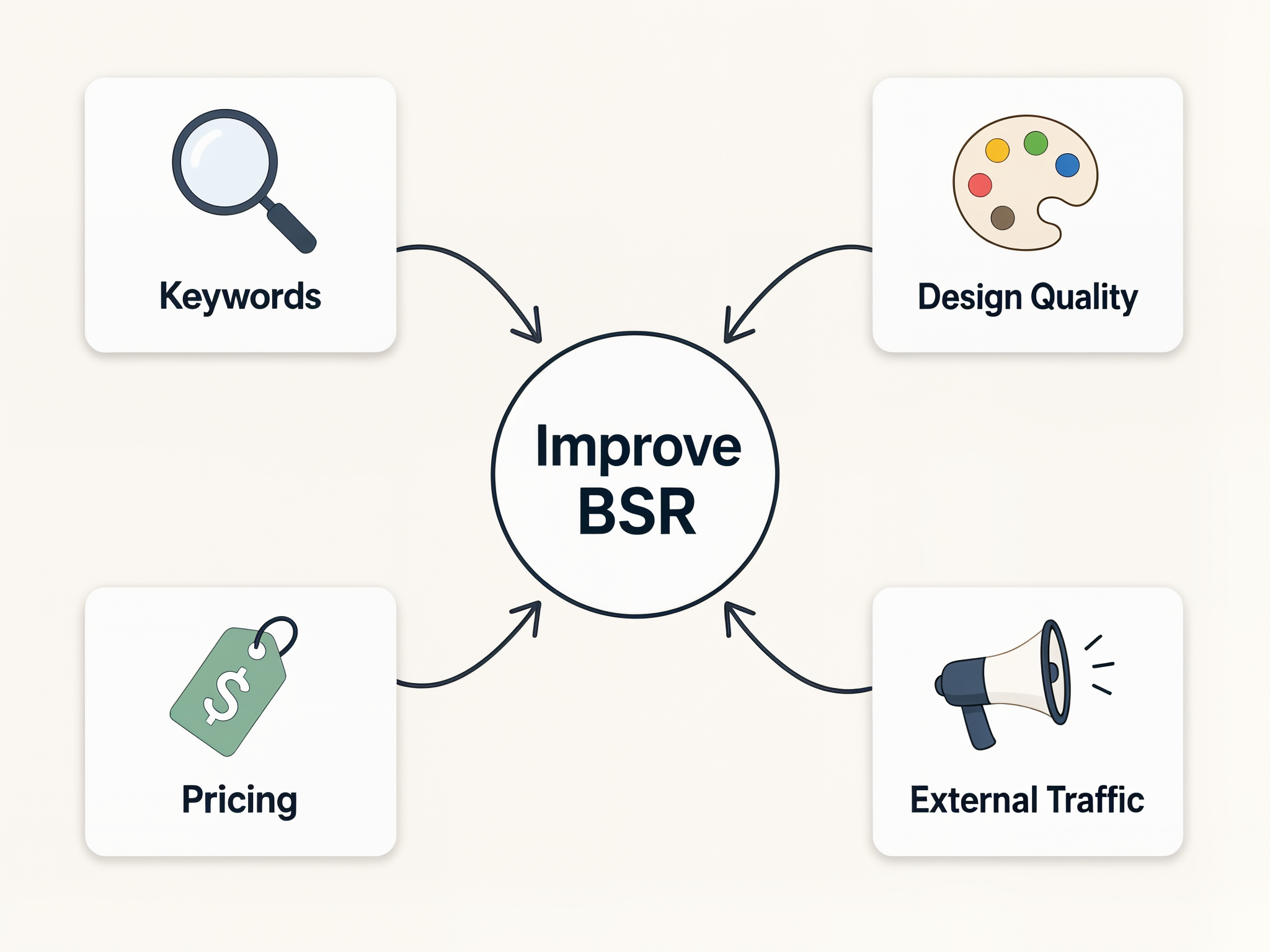
How to Improve Your Amazon BSR
BSR improves when you sell more. That’s the simple version. But the strategies that drive those sales are what matter.
Keyword Optimization
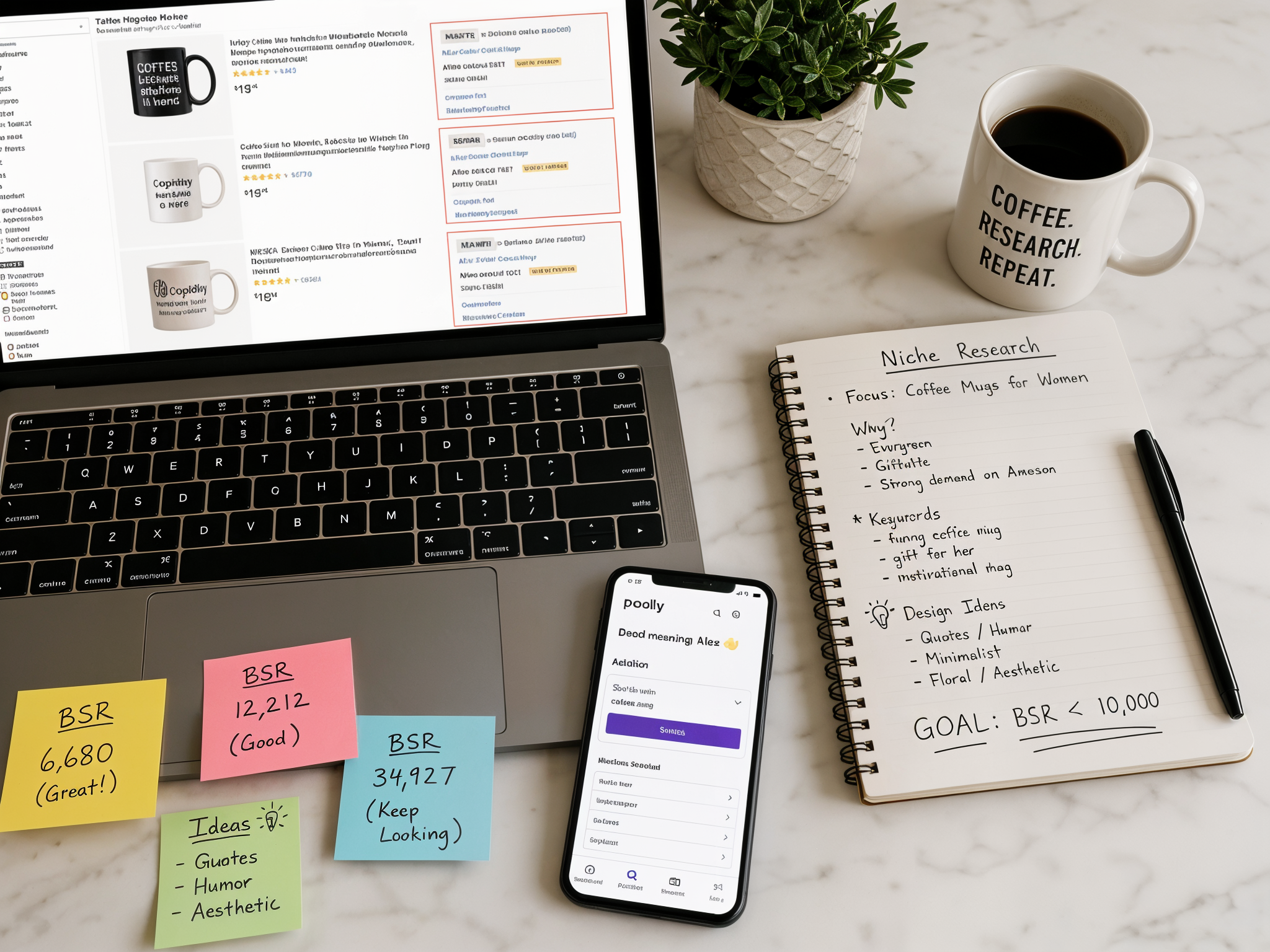
The most impactful thing you can do for your Merch listings is get your keywords right. Proper keywords put your designs in front of shoppers who are actively searching — and those shoppers convert at much higher rates than random browsers.
Focus on:
- Product titles — front-load your most important keywords. Include what the product is, who it’s for, and the occasion or theme
- Brand name — use this field for additional keywords, not just your brand
- Bullet points and description — stuff every relevant keyword variation here. Amazon indexes all of this text
Research high-volume, low-competition keywords for your listings. The difference between a listing with generic keywords and one with researched, targeted keywords can be the difference between zero sales and consistent daily orders.
Design Quality and Niche Selection
No amount of keyword optimization will save a bad design or a dead niche. Before uploading, validate demand:
- Use Podly’s trending search to see what buyers are actively searching for right now
- Check BSR of existing designs in your target niche — if everything has BSR above 1,000,000, demand is weak
- Study the top-selling designs in your niche to understand what buyers respond to (without copying)
- Read our guide on identifying profitable print on demand niches for a systematic approach
Originality matters more than ever. Amazon takes trademark and intellectual property violations seriously, and copycat designs get flagged quickly.
Pricing Strategy
Price affects conversion rate, which affects sales, which affects BSR. For Merch by Amazon, you’re working within Amazon’s royalty structure — your take-home depends on the product type, the list price, and Amazon’s production costs.
General pricing guidance for Merch:
- Standard t-shirts typically perform best at $15.99-$19.99
- Premium or niche designs can command $22.99-$27.99
- Hoodies and sweatshirts sell well at $29.99-$39.99
- Price too high and conversion drops. Price too low and your royalty disappears
Use our royalties calculator to find the sweet spot between competitive pricing and acceptable margins.
External Traffic
Driving traffic to your Amazon listings from outside Amazon can create a sales spike that dramatically improves BSR. Options include:
- Social media — Pinterest, TikTok, and Instagram work well for visual products. Share lifestyle mockups, not just flat designs
- Amazon Ads — Sponsored Products campaigns put your listings in front of relevant shoppers. Start small ($5-10/day) and scale what works. See our Amazon Merch advertising guide for strategies
- Niche communities — if your designs target a specific group (profession, hobby, fandom), communities on Reddit or Facebook can drive targeted traffic
Even a small burst of sales from external traffic can push BSR into a range where Amazon’s own algorithm starts giving your listing more organic visibility — creating a positive feedback loop.
Common BSR Myths and Misconceptions
“A low BSR means the design is profitable.” Not necessarily. BSR reflects sales velocity, not profit margin. A design priced at $13.99 might sell frequently (good BSR) but generate tiny royalties. Always check the actual price and estimate royalties alongside BSR.
“BSR is permanent.” BSR changes hourly. A design that had BSR 50,000 last week might be at 300,000 today if sales slowed down. Never make decisions based on a single BSR snapshot — track it over time.
“I need a BSR under 10,000 to make money.” This is a myth that discourages new sellers. Consistent sales at BSR 200,000-400,000 in Clothing can absolutely generate meaningful royalty income, especially across a portfolio of designs. The goal isn’t one viral product — it’s 50-100 designs that each sell a few times per week.
“BSR and search ranking are the same thing.” They’re completely independent systems. BSR measures sales. Search ranking measures keyword relevance and listing quality. You can rank #1 for a search term and still have a mediocre BSR if the keyword doesn’t get much traffic.
“My BSR tanked — something is wrong with my listing.” BSR naturally fluctuates. Seasonal shifts, competitor launches, and Amazon’s own promotional events all affect relative BSR. A temporary BSR increase doesn’t mean your listing broke — it often means someone else in the category ran a promotion or Q4 traffic shifted patterns.
Frequently Asked Questions
What is BSR on Amazon?
BSR stands for Best Sellers Rank. It’s a number Amazon assigns to every product that has made at least one sale, indicating how well that product is selling compared to others in the same category. A lower BSR means better sales. BSR updates approximately every hour based on recent and historical sales data.
What does BSR mean on Amazon?
BSR means Best Sellers Rank — it’s Amazon’s way of ranking products by sales velocity within each category. A t-shirt with BSR #5,000 in Clothing is selling better than one with BSR #500,000. The rank is relative to the category, so the same BSR number means different things in different categories.
What is a good BSR on Amazon?
For Merch by Amazon products in the Clothing category, a BSR under 100,000 indicates strong daily sales. BSR between 100,000-500,000 means the product sells multiple times per week. Above 500,000 suggests occasional sales only. These benchmarks apply specifically to Clothing — smaller categories have different thresholds.
How do I find BSR on Amazon?
Scroll down to the “Product Information” or “Product Details” section on any Amazon product page. BSR is listed alongside other details like ASIN and dimensions. You’ll see both the root category rank and subcategory rank. For faster research, tools like Podly overlay BSR data directly on search results so you don’t have to click into each listing.
How often does Amazon BSR update?
Amazon BSR updates approximately every hour. A single sale can cause a noticeable BSR improvement, especially for products that haven’t sold recently. The update frequency means BSR is a near-real-time indicator of sales activity, though it takes 24-48 hours of consistent sales to establish a stable BSR trend.
Does BSR affect Amazon search ranking?
Not directly. Amazon’s search algorithm ranks products based on keyword relevance, listing quality, conversion rate, and sales history — not BSR itself. However, the sales activity that creates a good BSR also signals to Amazon’s algorithm that the product converts well, which can indirectly improve search placement over time.
![How to Boost Your Print-on-Demand T-Shirt Sales Using Canva and TikTok: A Step-By-Step Guide [Merch On Demand]](/images/blog/how-to-boost-your-print-on-demand-t-shirt-sales-using-canva-and-tiktok-a-step-by-step-guide-merch-on-demand/hero.png)